Contents of a Manufacturers Paragraph
Use the contents of this paragraph to specify manufacturers or product listings that fulfill a product type requirement in your project specifications.
Contents (New Workspace)
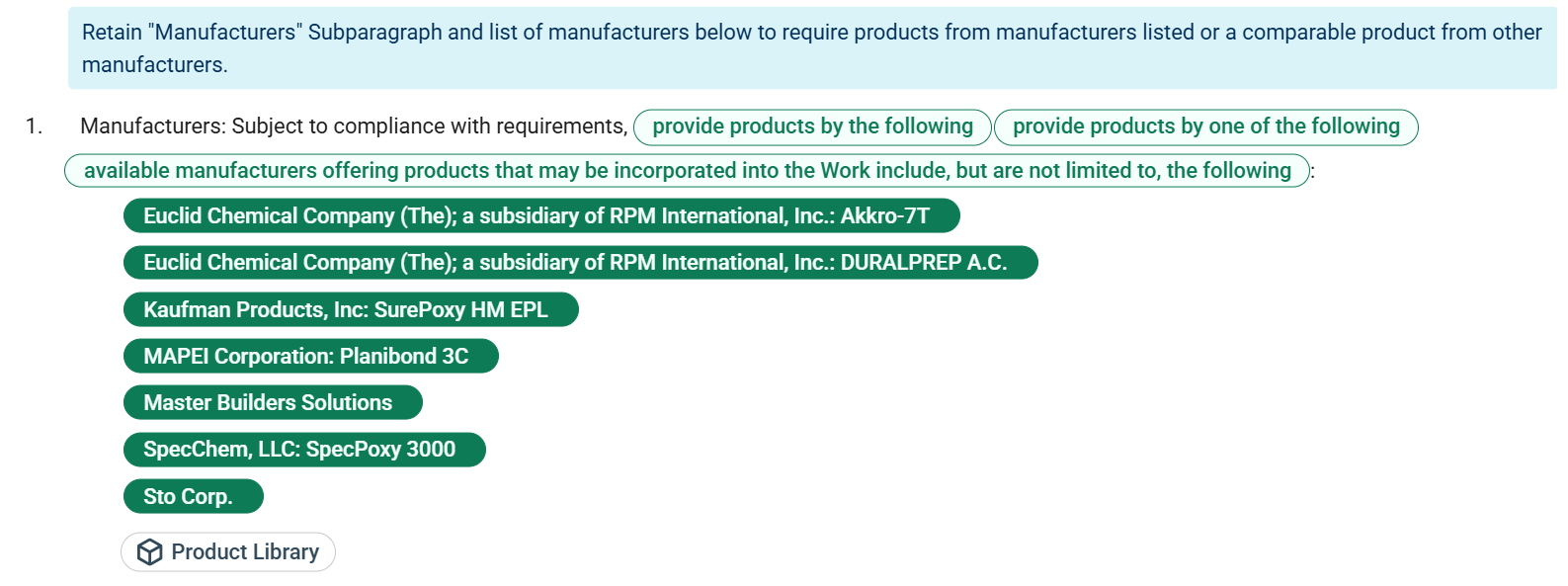
The contents of a Manufacturers paragraph are similar to those of a regular paragraph, but include special capabilities that support intelligent product selection.
Control Options
For
administrators and
authors, multiple control options are available for working with a Manufacturers paragraph. Control options for this paragraph, such as
 Add Content and
 Activate Content are the same as those in regular paragraphs.
For more information, see Contents of a Paragraph (New Workspace).
Contents
For a manufacturer paragraph, the following content is available:
| Item | Description |
|---|---|
| Property Key or Title | This paragraph's property key is
Manufacturers, which is unique to Manufacturers paragraphs.
|
| Paragraph Content or Value | This text adds context to the specified manufacturers in the paragraph. For a Manufacturers paragraph, the following content is available:
|
| Lead-in Option Set | Select the appropriate lead-in phrase for your selections in the
manufacturer list to add further context. For a Manufacturers paragraph, this option set is available:
(provide products by the following) (provide products by one of the following) (available manufacturers offering products that may be incorporated into the Work include, but are not limited to, the following)
Note: This option set no longer automatically updates based on your manufacturer and product listing selections.
|
 Product Library
|
Click this button to open the
Product Listings window (project level), browse manufacturer and product listings, and add these listings to your project.
This window displays product listings based on the Manufacturers paragraph's corresponding product type. |
| Selected Manufacturers and Product Listings | This displays a list of manufacturers and product listings that were added to your project for the Manufacturer paragraph's corresponding product type. The listings are displayed as selected pills. This list appears only when the paragraph is active.
To add a product, use the
|
Contents (Classic Workspace)
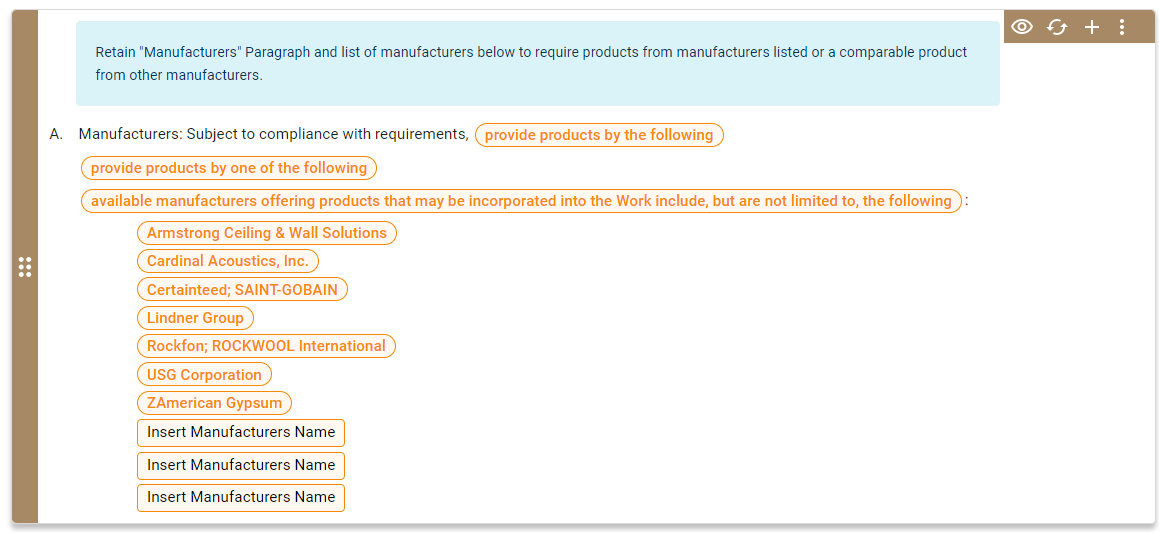
The contents of a Manufacturers paragraph are similar to the contents of a regular paragraph, but include special capabilities tied to intelligent product selection.
Control Options
For
administrators and
authors, multiple control options are available for working with a Manufacturers paragraph. Control options for this paragraph, such as
 Manage Options and
 Activate Content, are the same as those in regular paragraphs.
For more information, see Contents of a Paragraph (Classic Workspace).
Contents
For a manufacturer paragraph, the following content is available:
| Item | Description |
|---|---|
| Property Key or Title | This paragraph's property key is
Manufacturers, which is unique to Manufacturers paragraphs.
|
| Paragraph Content or Value | This text adds context to the specified manufacturers in the paragraph. For a Manufacturers paragraph, the following content is available:
|
| Lead-in Option Set | Select the appropriate lead-in phrase for your entries and selections in the
manufacturer list to add further context. For a Manufacturers paragraph, the option set is available:
(provide products by the following) (provide products by one of the following) (available manufacturers offering products that may be incorporated into the Work include, but are not limited to, the following)
Note: This option set no longer automatically updates based on your manufacturer and product listing selections.
|
| List of Manufacturers and Products | This lists the following manufacturers and product types in their respective pills:
In the given example, the following is the option set for selected products: On this option set, you can perform the following actions:
For more information, see Design Automation for Element Contents and Design Automation for Product Selection. To add a product registered in Specpoint, open the Product Listings window and add the product listing. This automatically adds each listing as its own pill. |