Manufacturers Paragraph
Use this paragraph to specify manufacturers or product listings that fulfill a product type requirement in your A/E firm's project specifications.
The behavior of the Manufacturers paragraph depends on the workspace you are using. In the new workspace, the paragraph reflects manufacturers selected through product selection. In the classic workspace, it can still be used to make selections directly.
Manufacturer paragraphs operate independently of other manufacturer paragraphs. Selecting or clearing manufacturers in one manufacturer paragraph does not automatically affect the behavior or selections of other manufacturer paragraphs.
Manufacturers Paragraph in the New Workspace
- Selection via Product Library
- Display‑only manufacturer pills
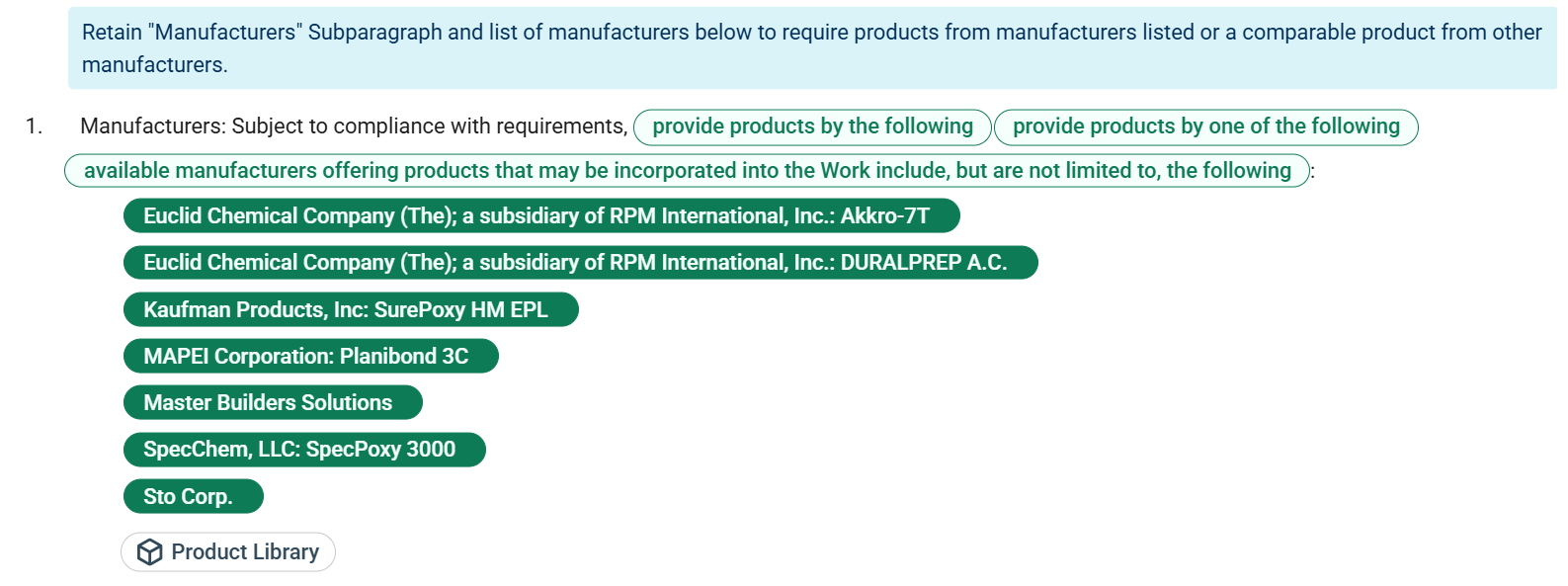
For selection via Product Library, manufacturer and product information is specified through product selection. Use the Product Library button to open the Product Listings window and add listings that fulfill the product type requirement. These selections determine which manufacturers or products are listed for the product type.

For display‑only manufacturer pills, the Manufacturers paragraph displays the selected manufacturers or products as pills. These pills reflect the current product selection and update automatically as products are added to or removed from the project. The pills are display‑only and cannot be selected, cleared, or changed directly in the paragraph. Manufacturer pills appear only when the Manufacturers paragraph is active and display only for listings added to the project.
Manufacturers Paragraph in the Classic Workspace
- Listed manufacturers
- Inline selection of manufacturers
- Automatic addition or selection of pills for added manufacturers and products via Product Library
- Custom entries for unlisted products
For listed manufacturers and inline selection of manufacturers, the Manufacturers paragraph lists pills for manufacturers associated with the corresponding product type. You can select or clear these manufacturer pills directly in the paragraph. Selecting a manufacturer pill adds the associated product listing to your project, and clearing a manufacturer pill removes the associated listing from the project.
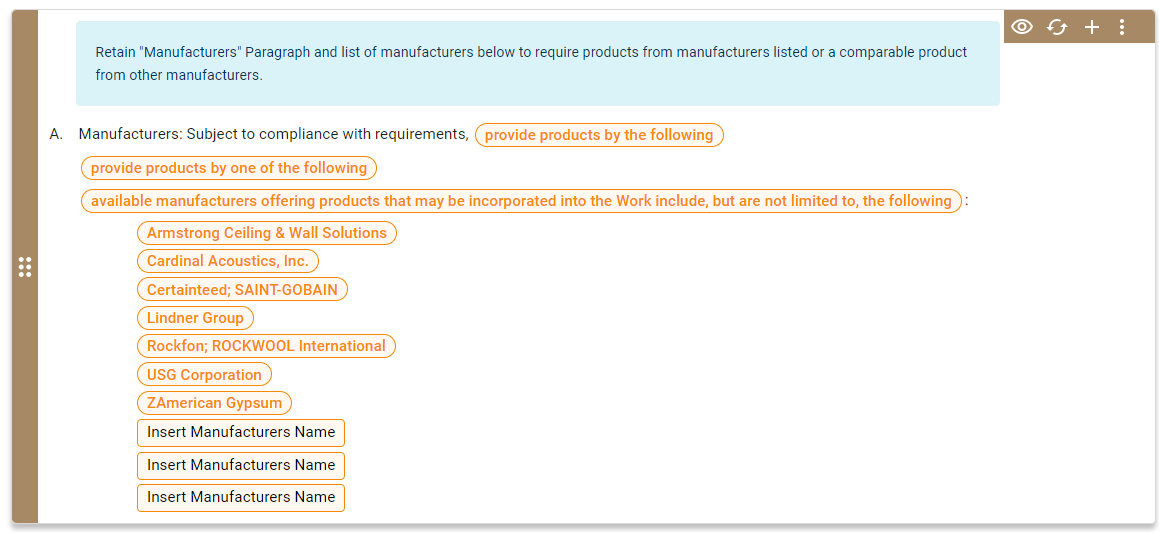
For automatic addition or selection of pills for added manufacturers and products via Product Library, Specpoint keeps the Manufacturers paragraph aligned with the Product Listings window. When you add a manufacturer listing to the project, Specpoint automatically selects the corresponding manufacturer pill in the Manufacturers paragraph of the associated product type. Likewise, when you select a Premium MasterSpec or Premium listing, Specpoint adds a pill for the listing and selects it. Added product listings appear in the Manufacturers paragraph in the following format:
<Manufacturer name>:<Product listing name>.
When you remove a product listing from the project, Specpoint automatically clears the corresponding manufacturer selection from the associated Manufacturers paragraph. For Premium MasterSpec and Premium listings, Specpoint also removes the associated listing option from the paragraph.
For custom entries for unlisted products, if your product type requirement is based on a manufacturer or product listing that is not available in Specpoint, you can manually enter a custom manufacturer or product listing in the paragraph’s available text fields ([Insert Manufacturers Name]).
For more information, see Design Automation for Product Selection.
Related Product Type Properties
When you select a manufacturer or product listing through the Product Listings window or a manufacturer pill in a Manufacturers paragraph or when Specpoint automatically adds and selects a product listing, Specpoint updates all related product type properties within the product type and related families and sections. Specpoint automatically selects options in related product type properties' option sets based on the product properties of the selected manufacturer or listing. This feature enables you to automatically specify product requirements based on a registered product listing in the platform.
For each custom manufacturer entry in the available text fields ([Insert Manufacturers Name]), you must select the appropriate options and/or enter the correct values for all of the related product type properties.
If you or other project team members have already selected options in the workspace, Specpoint considers those selections when automatically searching the database for comparable products. However, Specpoint does not add additional options when selecting a card.
For more information, see Design Automation for Element Contents.