Spread Method Dialog Box
This dialog box displays a list of spread curves that you can use to respread the total quantity of the selected resource over the activity’s original duration.
As shipped from Deltek, this list includes the following spread curves.
| Spread Curve | Descripiton |
|---|---|
| B: Back Load | 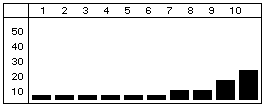
Most of the resource effort is allocated toward the end of the duration. |
| D: Double Peak | 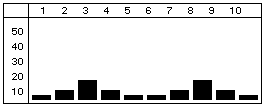
Most of the resource effort is allocated to two peaks — one near the beginning of the duration and one near the end. |
| E: Early Peak | 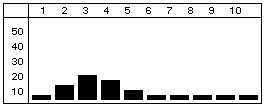
Most of the resource effort is allocated near the beginning of the duration. |
| F: Front Load | 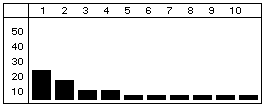
Most of the resource effort is allocated at the beginning of the duration. |
| L: Late Peak | 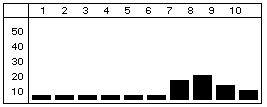
Most of the resource effort is allocated near the end of the duration. |
| N: Normal (Bell) | 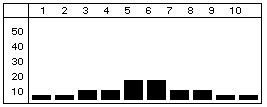
The resource effort starts with a minimal effort, gradually increases to the middle of the duration, and then tapers off. |
| T: Linear | 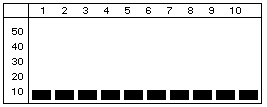
Additional spread curves can be defined using the Spread Curves dialog box accessed from the Tools tab. |