The Fixed Assets List
The main page shows all fixed assets for the current company in a grid.
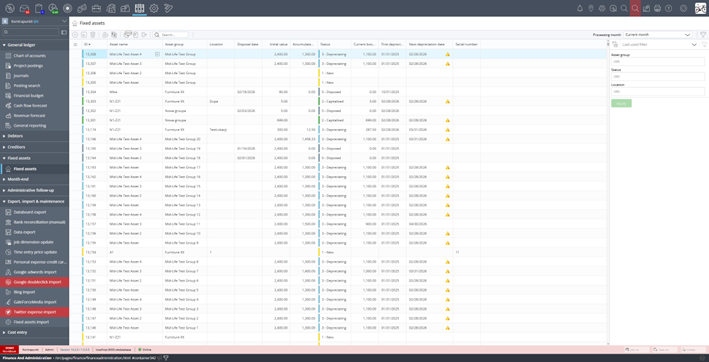
Fixed assets list showing all assets with their statuses and financial values
Grid Columns
| Column | Description |
|---|---|
| ID | Auto-generated unique identifier |
| Asset name | Name of the asset |
| Asset group | The group that defines depreciation policy and GL accounts |
| Location | Physical location of the asset (optional) |
| Disposal date | Date the asset was disposed (blank if active) |
| Initial value | The capitalized cost of the asset |
| Accumulated depreciation | Total depreciation charged to date |
| Current book value | Current net value (Initial value − Accumulated depreciation ± Revaluations) |
| Status | Current lifecycle status (1-New, 2-Capitalized, 3-Depreciating, 5-Disposed) |
| First depreciation date | Month when depreciation started |
| Next depreciation date | Next scheduled depreciation month |
| Serial number | Serial number (optional) |
Processing Month
The Processing month selector in the top-right corner controls which month is used for operations like depreciation. It defaults to the current month.
Filter Panel
- Use the filter panel on the right side to narrow the list by:
- Asset group: Show only assets belonging to a specific group
- Status: Filter by lifecycle status (New, Capitalized, Depreciating, Disposed)
- Location: Filter by physical location
- Click Apply to activate the filter. Use Last used filter to quickly re-apply a previous filter.