Disposing Assets
Use up to 35 words to describe this conceptual topic. Write complete sentences.
Regular Disposal
- Select one or more assets.
- Click the Dispose assets toolbar icon.
Step 1: Review Assets for Disposal
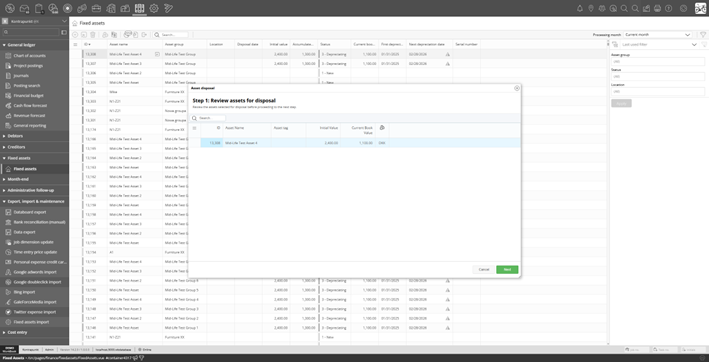
Disposal wizard Step 1: reviewing assets
Review the list of assets to be disposed of, including their current initial value and book value.
Step 2: Select Disposal Type
Choose:
- Full Disposal: The asset is written off entirely. Any remaining book value is posted as a loss to the disposal GL account.
- Disposal via Sales Invoice: Link the disposal to a posted sales invoice. The proceeds from the sale are recorded, and any difference between the book value and proceeds is posted as a gain or loss.
Disposal via Sales Invoice accepts only invoices on jobs that do not capitalize sales invoices in the job posting configuration.
For sales invoice disposal, select the invoice and allocate proceeds to invoice line items.
What Happens on Disposal
WorkBook creates a Disposal operation and posts journal entries to remove the asset from the balance sheet. The exact entries depend on the disposal mode:
- Full Disposal (write-off):
- Debit Accumulated Depreciation account: clears the depreciation balance
- Credit Asset cost account: removes the asset cost from the balance sheet
- Debit Disposal gain/loss account: records the remaining book value as a loss
- Disposal via Sales Invoice:
- Debit Accumulated Depreciation account: clears the depreciation balance
- Credit Asset cost account: removes the asset cost from the balance sheet
- The gain or loss (Proceeds − Book Value) is posted to the Disposal gain/loss account:
- If proceeds > book value → Credit Disposal account (gain)
- If proceeds < book value → Debit Disposal account (loss)
After disposal, the asset's status changes to Disposed, the disposal date is recorded, and all depreciation fields are cleared.
Warning: Disposal is irreversible. There is no undo for disposal. Ensure the asset is ready to be removed before confirming.