Creating a New Asset
Use these steps to create an asset.
- Click the Create asset toolbar icon.
The Create fixed asset dialog opens.
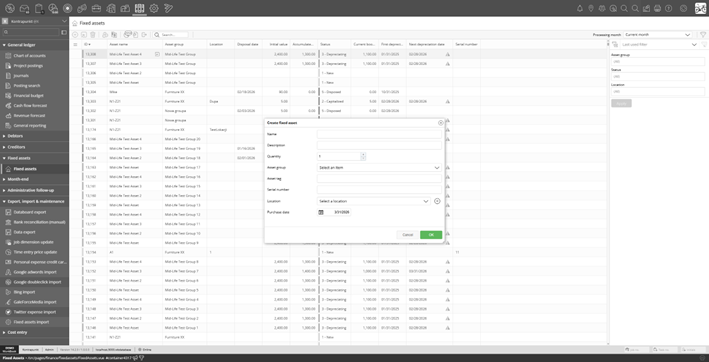 Create fixed asset dialog
- Fill in the fields:
- Name (required) — descriptive name for the asset.
- Description (optional).
- Quantity — number of assets to create (default 1). When quantity > 1, asset tag and serial number are not available (each asset needs unique identifiers).
- Asset group (required) — select the group that defines depreciation rules.
- Asset tag (optional, only when quantity = 1) — unique identifier.
- Serial number (optional, only when quantity = 1).
- Location (optional) — select or create a location.
- Purchase date — defaults to today.
- Click
OK.
The asset is created with status 1 - New.