Sustainability Paragraph
A sustainability paragraph identifies a family's sustainability requirements and automatically activates or inactivates based on your project's selected Sustainability parameter. It displays only the content that matches the rating system applied to your project.
A sustainability paragraph describes how a family complies with a specific green building standard, including ASHRAE 189.1, Green Globes, LEED 2009, LEED v4, or LEED v4.1. Each sustainability paragraph includes a note to specifier that indicates its assigned Sustainability parameter value. Specpoint evaluates the project 's Sustainability parameter and activates only paragraphs associated with the selected rating system while inactivating paragraphs for other standards. This automation occurs when you:
- Add a family or product type to your project, either directly or through content automation,
- Create a new project with automatically added families or product types based on best practices, and
- Update the project's assigned Sustainability parameter in the Edit Details pane of the Project Overview page.
For example, if a project is set to LEED v4.1, Specpoint activates only paragraphs written for LEED v4.1 and hides paragraphs written for other systems, such as LEED 2009 or IGCC, to keep sustainability specific requirements accurate for the project.
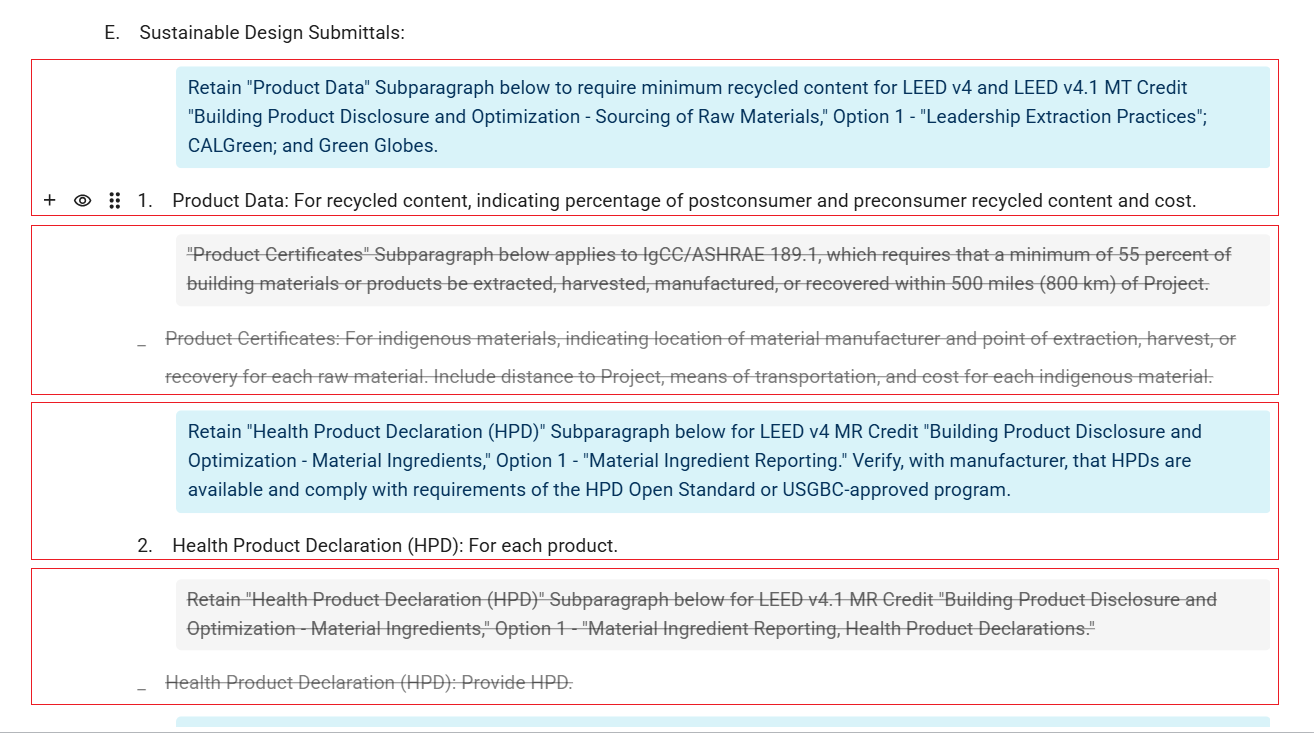
The sustainability content automation ensures that the specification reflects the correct sustainability criteria and avoids conflicting requirements. If you manually activate a paragraph outside the selected rating system, Specpoint displays a message to help prevent inconsistencies.
In the Office Master Workspace, you can create a sustainability paragraph by adding a paragraph to a family and assigning a note to specifier that explicitly includes its respective sustainability parameter value. When you add that family to a project, Specpoint evaluates the paragraph and activates or inactivates it according to the project's Sustainability parameter.