Spread Curves Dialog Box
The Spread Curve dialog box displays a list of spread curves that you can use when assigning resources to an activity.
| Spread Curve | Description |
|---|---|
| B - Back Load | 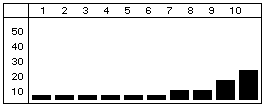
Most of the resource effort is allocated toward the end of the duration. |
| D - Double Peak | 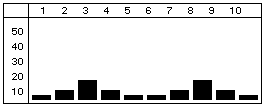
Most of the resource effort is allocated to two peaks - one near the beginning of the duration and one near the end. |
| E - Early Peak | 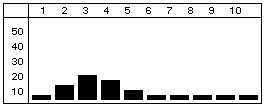
Most of the resource effort is allocated near the beginning of the duration. |
| F - Front Load | 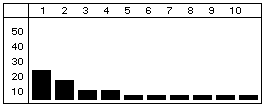
Most of the resource effort is allocated at the beginning of the duration. |
| L - Late Peak | 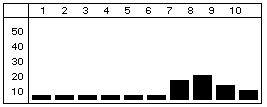
Most of the resource effort is allocated near the end of the duration. |
| N - Normal (Bell) | 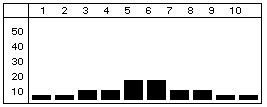
The resource effort starts with a minimal effort, gradually increases to the middle of the duration, and then tapers off. |
| T - Linear | 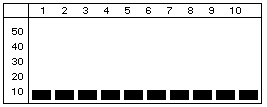 The requirement is interpreted as a total quantity allocated as evenly as possible throughout the duration The requirement is interpreted as a total quantity allocated as evenly as possible throughout the duration
|