Accept a Track Change (New Workspace)
As an administrator or author, accept a track change to finalize a decision and include the change in your family, section, or product type.
To accept a track change:
-
On the Track Changes tab (
 ) of the
new workspace, select
Open in the filter field.
) of the
new workspace, select
Open in the filter field.
-
In the track change tip, click
 .
Specpoint saves the change. The track change tip is now available on the Track Changes tab under Resolved and displays the following message: Accepted Edits.
.
Specpoint saves the change. The track change tip is now available on the Track Changes tab under Resolved and displays the following message: Accepted Edits.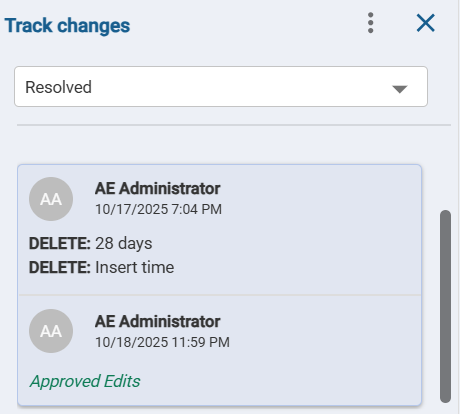
In the new workspace editor, the change content now displays without a track change in-line indicator.