Example: Defining a Link
This topic illustrates an example of defining a link.
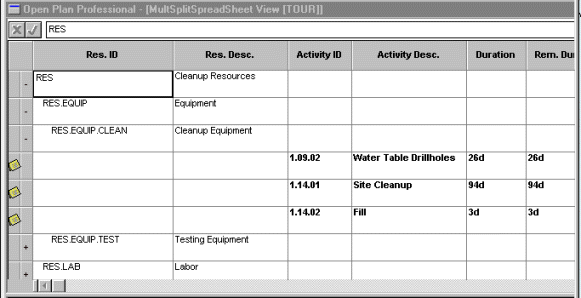
Assume that you want to display the durations of all activities assigned to the resources in your department. Because the resource ID descriptions and activity durations are stored on different tables, the only way to display this information on a single spreadsheet is by using the multi-table spreadsheet feature. (The resource ID description is stored on the Resource Description table; the activity duration is stored on the Activity table.)
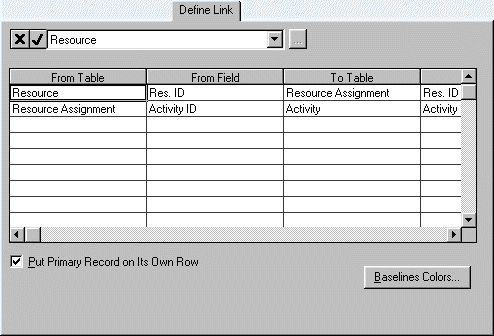
To show the activity durations on the same spreadsheet with the resource IDs, you must link the Resource Description table with the Activity table. This is done on the Define Link tab of the Spreadsheet Preferences Dialog Box in two steps:
- Step 1: Define a link between the Resource Description table and the Assignment table using the Resource ID as the connecting field.
- Step 2: Define a link between the Assignment table and the Activity table using the Activity ID as the connecting field.
This is shown in the following illustration:
You can then define the spreadsheet columns to display the required information.