Contents of the Risk Analysis Preferences Dialog Box
Use this fields and options to configure the Risk Analysis Preferences dialog box.
Contents
| Field | Description |
|---|---|
| Histogram |
Each histogram bar can represent a period value for the period defined by the date unit. Using the histogram options, you can choose to display histogram bars to represent the following dates:
In addition, you can select the colors that Open Plan should use for each of these histogram bars by clicking the appropriate down arrow. The Color dialog box that is displayed offers a choice of 70 standard colors. You can define custom colors using an enhanced version of the Color dialog box accessed from the Color tab of the Options dialog box. |
| S-Curve |
Each S-curve can represent a cumulative value for the period defined by the date unit. Using S-curve options, you can choose to display S-curves to represent the following dates:
In addition, Open Plan enables the ellipsis button at the right of the color block. Clicking this button displays the S-Curve Line Selection dialog box that you can use to select a line style and color for both monitor display and printed output. |
Display as
| Field | Description |
|---|---|
| Table |
This option displays the data in a tabular format. You can also specify the number of decimal places to be included in the table display |
| Graph |
This option displays the data as a histogram or S-curve. |
| Both |
This option displays the data as a table below a graph. |
Table
| Field | Description |
|---|---|
| Number of Decimal Places |
Use this field to specify the number of decimal places to use in the tables and/or graphs. |
Bar Styles
| Field | Description | ||||
|---|---|---|---|---|---|
| Style |
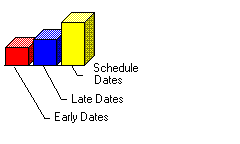
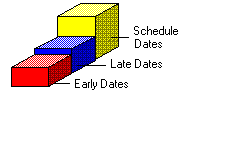
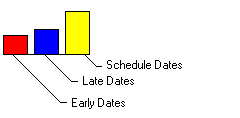
Use this field to select the bar style. Your options are:
|
||||
| Position |
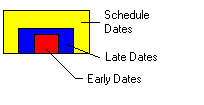
Use this field to select the bar position. Your options are:
|