Troubleshooting Specpoint Plug-in for Revit
Use this reference to learn about and resolve the possible issues that you might encounter with Specpoint Plug-in for Revit.
Issues and Solutions
Refer to the following issues and solutions:
Insufficient User Privileges
| Category | Description |
|---|---|
| Issue | When you ran
Revit, you encountered an external tool failure error and the plug-in did not load any of its contents.
|
| Possible Causes | You do not have administrator or elevated privileges for your Windows user account. |
| Solution | Enable administrator or elevated privileges for your Windows user account. |
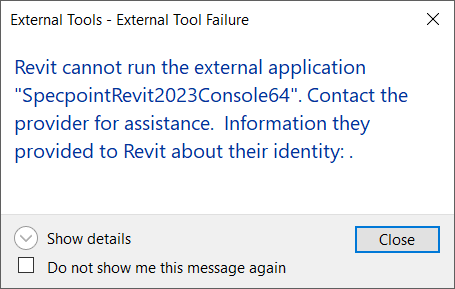
Multiple Instances of Revit
| Category | Description |
|---|---|
| Issue | When you ran
Revit, you encountered an external tool failure error and the plug-in did not load any of its contents.
|
| Possible Causes | You have multiple instances of Revit installed and currently running on your computer. |
| Solution | Close all other instances of Revit. |
Empty Account Login Page
| Category | Description |
|---|---|
| Issue | The account login page did not load its contents. |
| Possible Causes | You do not have a supported version WebView2 installed on your computer.
Note: Specpoint plug-in for Revit automatically installs this software during plug-in installation. You might have deleted this installation or overwritten it with an unsupported version.
|
| Solution | Install a supported version of WebView2. |