Contents of the Product Properties Tab
Use the contents of this tab to view product properties for a product listing to determine whether a product fits your project requirements.
Navigate to the following contents:
General Contents
On this tab, the following contents are available:
| Item | Description | ||||||
|---|---|---|---|---|---|---|---|
| Corporate Logo/Company Display Name | This displays the corporate logo of the product's manufacturer, if available. Otherwise, this displays the company display name. | ||||||
| Card Type | This displays a label that indicates the product card type. The product card type depends on the product listing type. The following card types are available for the following listing types:
|
||||||
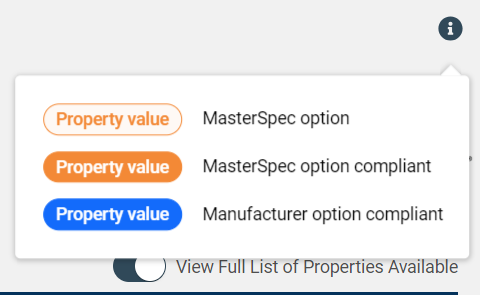
 Info Icon
|
Click this icon to view the legend for the available property options.
|
||||||
View Full List of Properties Available

|
Click this option to show or hide the available product properties. | ||||||
| MasterSpec Properties | This lists the available MasterSpec properties for the product listing. These are standard or baseline properties based on the product listing's MasterSpec product type. | ||||||
| Manufacturer Options | This lists the available manufacturer properties for the product listing. These are additional properties that are specific to a BPM company and its product listings. |
Property Contents
For each MasterSpec property or manufacturer property, the following items are available:
| Item | Description | ||||||||||||
|---|---|---|---|---|---|---|---|---|---|---|---|---|---|
| Property Name/Key | This is the name of the property and the key that identifies the property throughout the platform. The property key is unique within a given product type. | ||||||||||||
| Property Options | This displays the options for a given property. The available options display as pills.
The following types of options are available:
For each option, the following selection statuses are available:
|
||||||||||||
| In-line Text | This text displays before and/or after the property options and provides context and description to the property. In-line text is optional. |