Languages
You can export all text into a JSON language file using the Export… button, translate using your favorite tool, then use the Import… button to import the translate text.
The text that is shown in the People Planner user interface (UI) is built using four types of dictionaries to satisfy different customers, language, and phrase requirements.
By default, People Planner only contains the system (English) language. The system language contains only one pre-built global dictionary, whereas all user-defined languages contain all four dictionaries:
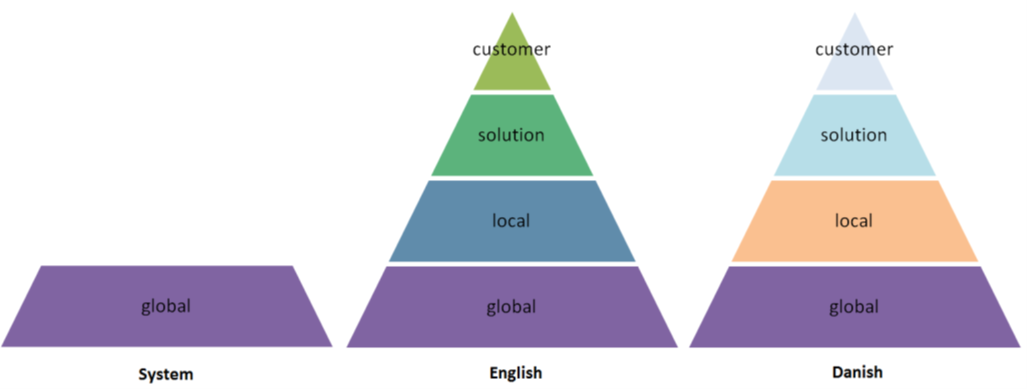
As indicated in the hierarchy shown in the preceding figure, texts are used in the following dictionary order: Custom, Solution, Local, and Global. For example, if a text exists in the customer dictionary, this takes priority over the other dictionaries, and so forth.
You can view, import, and export People Planner languages/texts in the workspace.