Contents of an Option Set (Office Master)
Use the contents of an option set to provide your firm's design professionals with options within in a paragraph.
Option/Pill
| Description | Create an option/pill to enable users to select prescribed values in an element's paragraph or property. |
| Example | 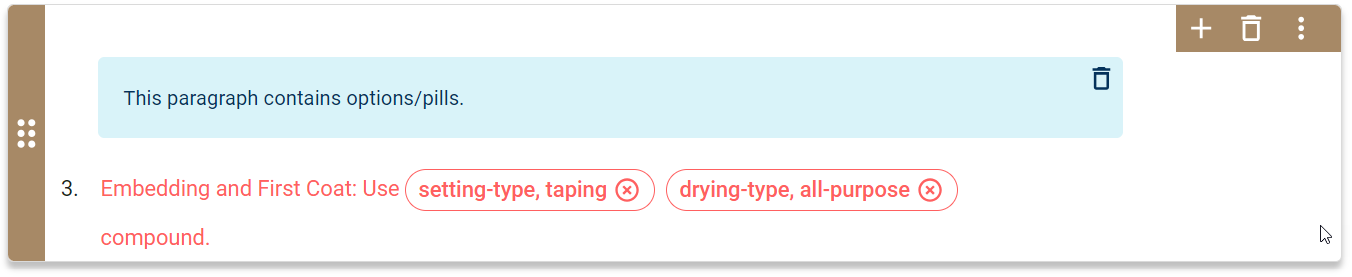
|
| Add Command | To add an option/pill, place your cursor in the paragraph text and click
 or press CTRL+ALT+P. or press CTRL+ALT+P.
|
| Modify Command | To modify an option's value, click the option/pill value and enter text. |
| Remove Command | To delete an option/pill, click x. |
Text Field
| Description | Create a text field or insert option to enable users to enter custom values in an element's paragraph or property. |
| Example | 
|
| Add Command | To add a text field, place your cursor in the paragraph text and click
 or press CTRL+ALT+T. or press CTRL+ALT+T.
|
| Modify Command | To modify a text field's default value, click the text field value and enter text. |
| Remove Command | To delete a text field, click x. |
Unit of Measure (UOM) Field
| Description | Create a unit of measure (UOM) field to enable users to enter measurement values in an element's paragraph or property. |
| Example | 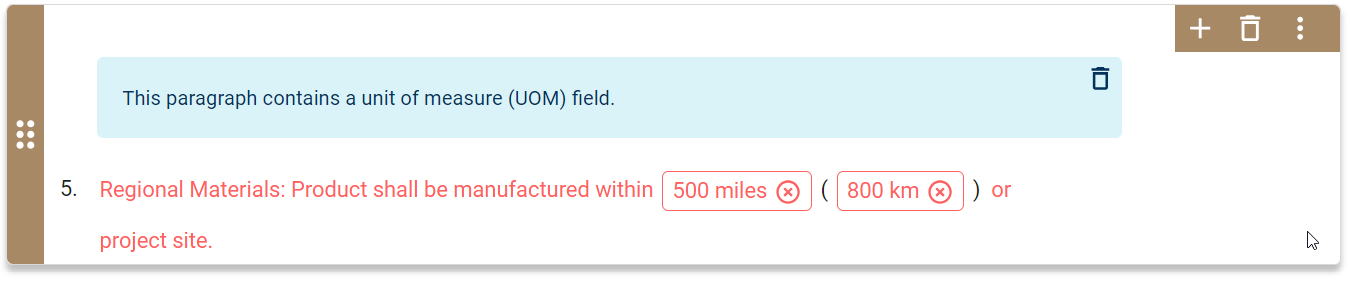
|
| Add Command | To add a UOM field, place your cursor in the paragraph text and click
 or press CTRL+U. or press CTRL+U.
Note: You can add a UOM field within an option/pill.
|
| Modify Command | To modify a UOM field value, click the UOM field value and enter text. |
| Remove Command | To delete a UOM field, click x. |