Use 2FA on iOS 15 (or higher)
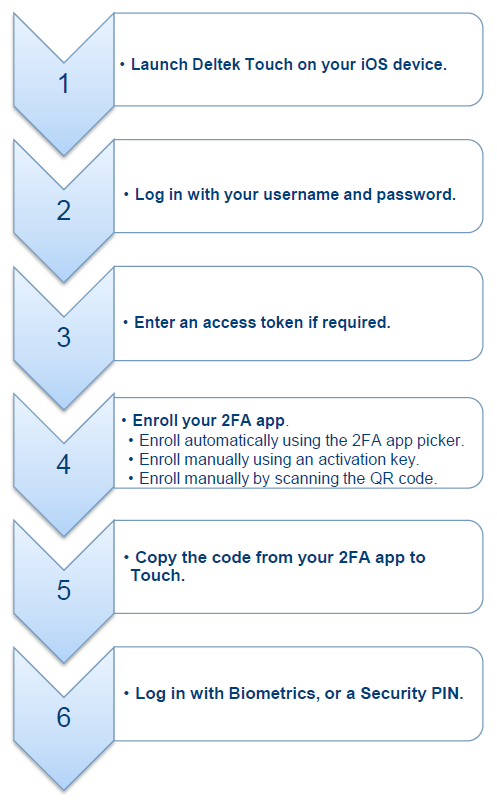
You can automatically enroll Apple Passwords or Okta Verify using the 2FA app picker on the Set up a Two Factor Authentication (2FA) App screen. You can also manually enroll your device using any of the following 2FA apps: Duo Mobile, Google Authenticator, Microsoft Authenticator, or SecureAuth Authenticate with either an activation code or a QR code. For instructions on how to use a QR code to enroll, refer to the SecureAuth Authenticator section. If your organization requires an access token, you have to provide the token prior to activating your 2FA app.
The following are the high-level steps to set up your unenrolled 2FA app the first time you log on your iOS device with iOS 15 (or higher) and Touch app version 3.8.1, and to log in to Deltek Touch.