Install the Oracle Instant Client Drivers (Windows)
This section discusses how to install the Oracle Instant Client Drivers (Windows).
If your Maconomy system uses Oracle DBMS, and the BPM server is different from the one that has the Maconomy database, you must install Oracle drivers to allow BusinessObjects access to the database and to prevent the following warning.
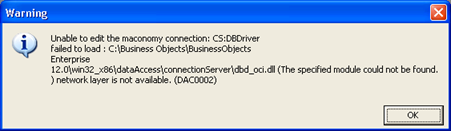
To install the Oracle Instant Client Drivers, follow these steps:
- Go to: http://www.oracle.com/technology/software/tech/oci/instantclient/index.html.
- Select your operating system.
- Review and accept the license agreement, and click Next.
- Download either Instant Client Package-Basic or Instant Client Package-Basic Lite.
- Unpack the drivers to a folder (for example, C:\Program Files\Oracle).
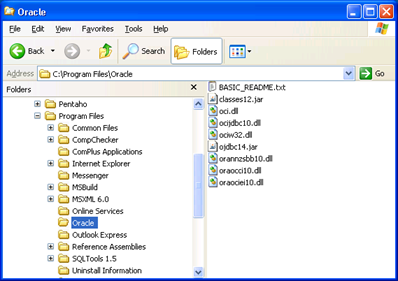
- Add the path to the drivers to the PATH variable.
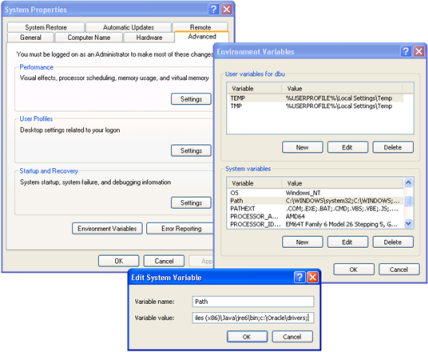
- Create the variable TNS_ADMIN with the path to the same folder.
- Create
tnsnames.ora in the folder, for example:
maconomy =
(DESCRIPTION =
(ADDRESS_LIST =
(ADDRESS = (PROTOCOL = TCP)(HOST = MACONOMYSERVER)(PORT = 1521))
)
(CONNECT_DATA =
(SERVICE_NAME = maconomy)
)
)In this example, MACONOMYSERVER is the server that hosts the Maconomy database, and maconomy is the SID of that database.