There are two types of activity-level Open Plan fields that you can add to PM Compass.
Codes
User-defined fields or UDFs
To add and access these fields in PM Compass, you must first define these codes in Open Plan.
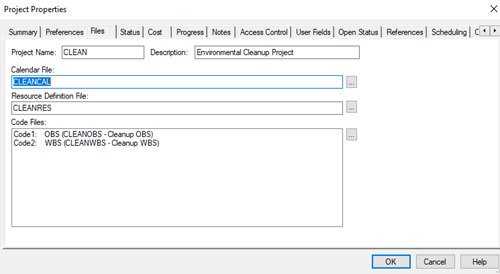
In Open Plan, you define the activity code in the Code Files grid on the Files tab of the Project Properties dialog box.
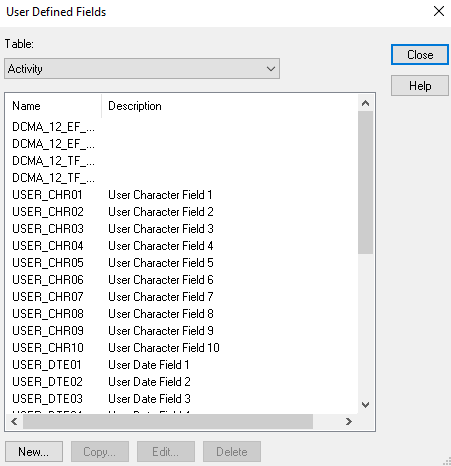
On the other hand, you define the UDFs by utilizing the User Defined Fields dialog box.
After the fields are defined in Open Plan, you can then add these fields in PM Compass using the Source Fields tab under the Schedule area on the User Defined Data form. Once the fields are added to the User Defined Data form, you can then view, add, or insert them on the Codes tab in various areas of PM Compass, such as in:
The codes are displayed in the Codes grid while the user fields are displayed in the User Fields grid. The linking fields are not editable, but the other codes, user fields, and user-defined fields are editable.