Subcontract Voucher Report
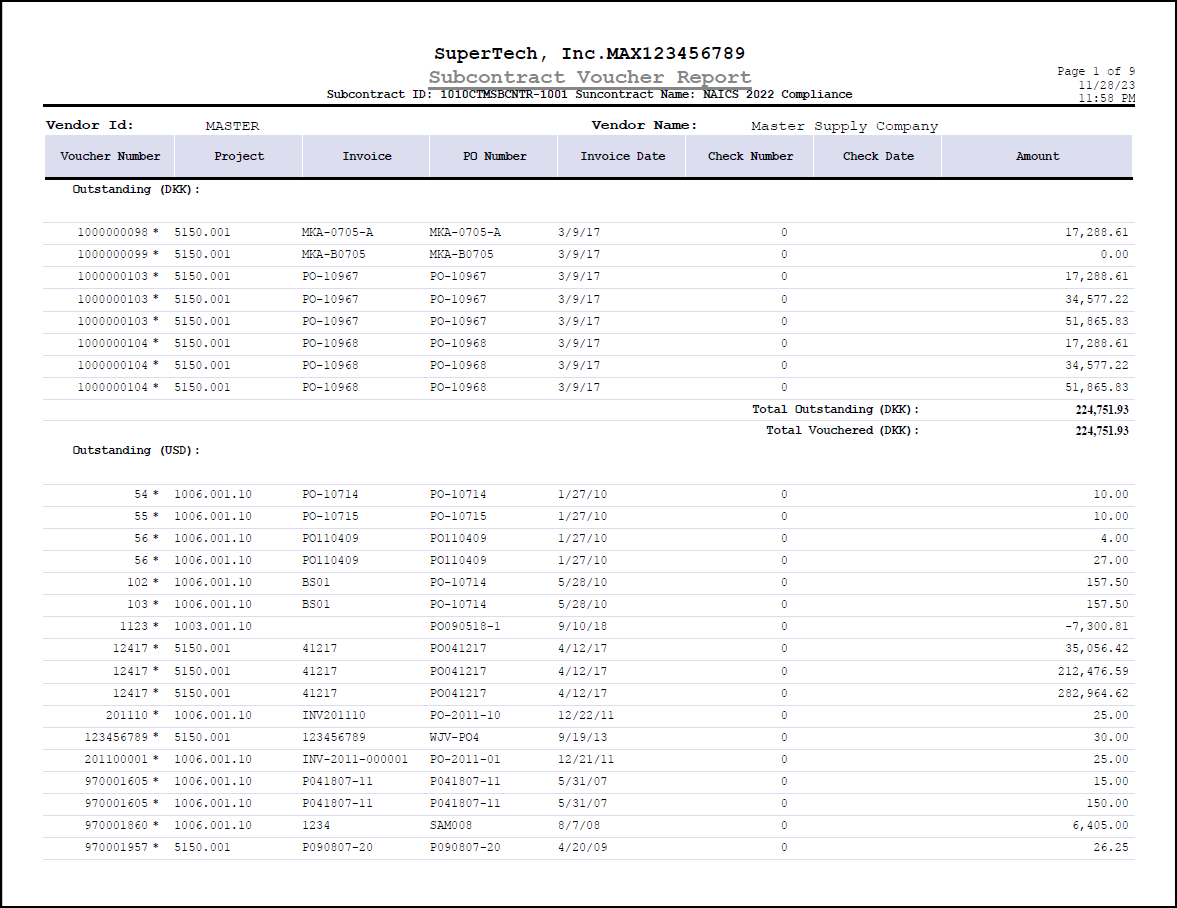
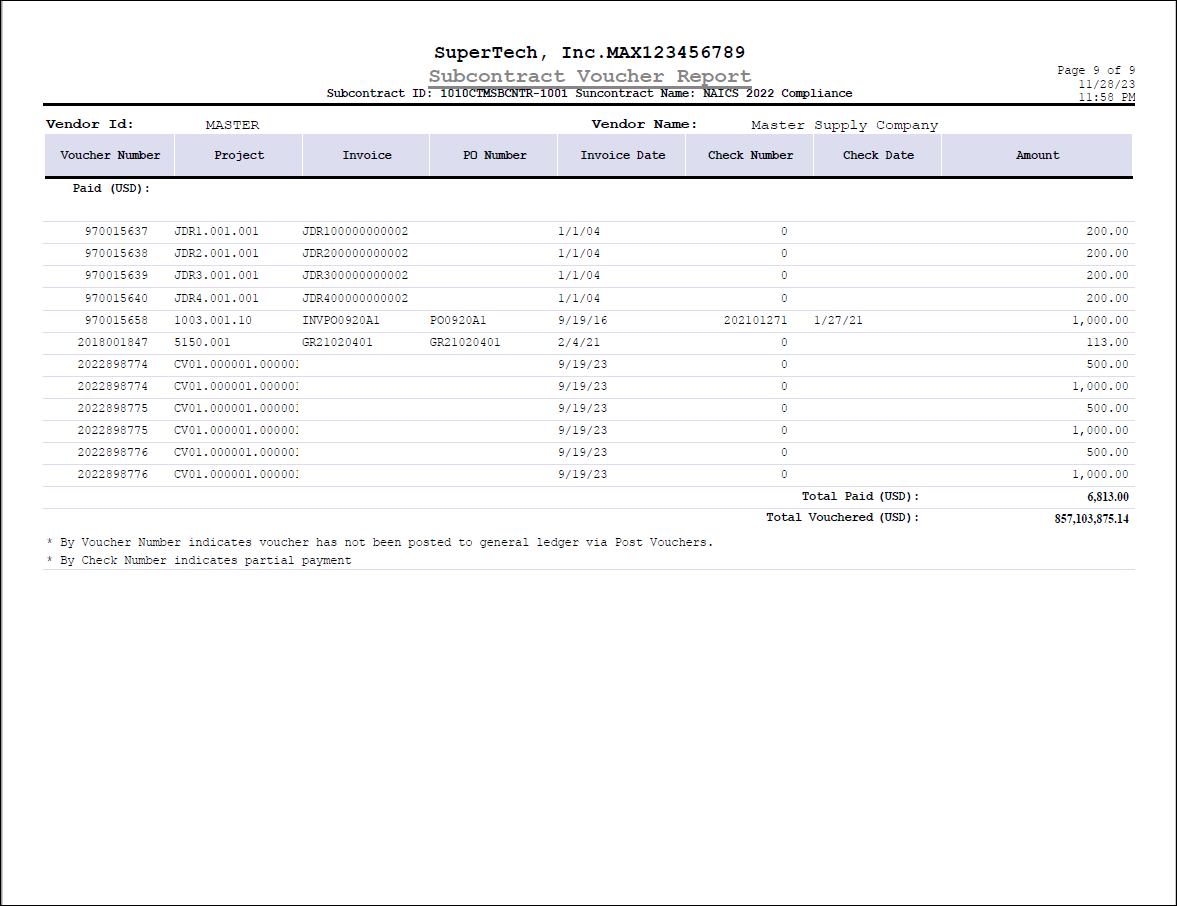
Here is an example of the Subcontract Voucher Report generated from the Manage Subcontracts screen.
You can print this report by clicking the Print Report button on the Subcontract Closeout tab of Manage Subcontracts.
This report includes information on the vouchers entered and/or posted to the vendor (entered in the Subcontractor/Vendor ID field on the General tab) and to the project (entered in the Subcontract Project ID field on the General tab). Vouchers posted at the project level and all levels below it are included in the report. If there is no Subcontract Project ID and you click this button, Costpoint displays an error message.
You can also preview and/or print the report through the Preview and Print menus on the toolbar. If no Subcontract Project ID is specified, no error is displayed. Instead, Costpoint runs the report for all project IDs associated with the vendor ID. Note that the Print Subcontract Voucher History Report option on these menus is available only if you are on the Subcontract Closeout tab.
The Subcontract Voucher Report displays the following information:
- Voucher number
- Project
- Invoice
- PO number
- Invoice date
- Check number
- Check date
- Amount
Records are sorted by Outstanding and Paid vouchers per pay currency. For example, if you are using USD and CAD currencies, the outstanding and paid vouchers for CAD will be displayed first, followed by the outstanding and paid vouchers for USD. The total outstanding and paid amounts are also displayed per pay currency.
Paid vouchers are those with a payment status of PAID, while outstanding vouchers are those with a DEFER, HOLD, PAY, PPHOLD, or PAYWPD status.
If you are licensed for Multicurrency and the transactional currency of the vouchers is different from your company's functional currency, the total vouchered amount on the report will not match the ITD Subcontractor Expenses amount on the General tab of Manage Subcontracts. The ITD Subcontractor Expenses value is in functional currency, while the total vouchered amount is in transactional currency.
Amounts in the report are displayed only in the functional currency in any the following scenarios:
- You are licensed for Costpoint Essentials.
- You are not licensed for the Multicurrency feature.
- You are licensed for Multicurrency but this feature has been set to off/disabled in your system.
An asterisk (*) beside the voucher number indicates that the voucher has not been posted to the General Ledger. An asterisk on the check number, on the other hand, signifies partial payment.
For illustration purposes, only the first and last pages of the generated sample report are included in this topic.