Purchase Order Commitment Report
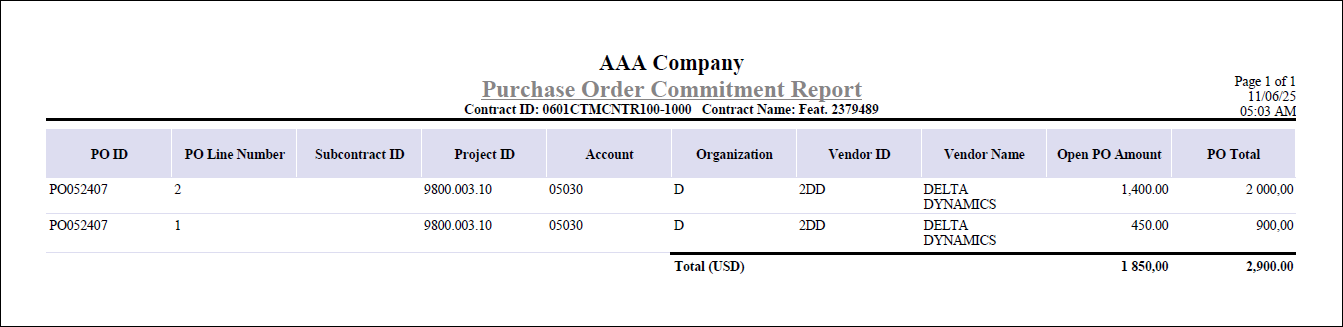
The Purchase Order Commitment Report provides a detailed snapshot of open purchase order commitments for projects linked to a contract.
You can print this report by clicking the Print Report button next to the Open PO Commitment Amount field on the Contract Closeout tab of Manage Contracts.
The report is organized by currency and displays both individual purchase order details and total commitment amounts, helping you track outstanding financial obligations associated with the contract.
For each purchase order, the report displays:
- PO ID
- PO Line Number
- Subcontract ID
- Project ID
- Account
- Organization
- Vendor ID and Vendor Name
- Open PO Amount
- PO Total
Totals for open purchase order amounts and PO totals are calculated and shown for each currency, provided that the Multicurrency license is active. The report is generated specifically for projects associated with the contract, ensuring that commitment tracking is accurate and relevant to the contract closeout process.
Here is an example of the Purchase Order Commitment Report generated from the Manage Contracts screen.