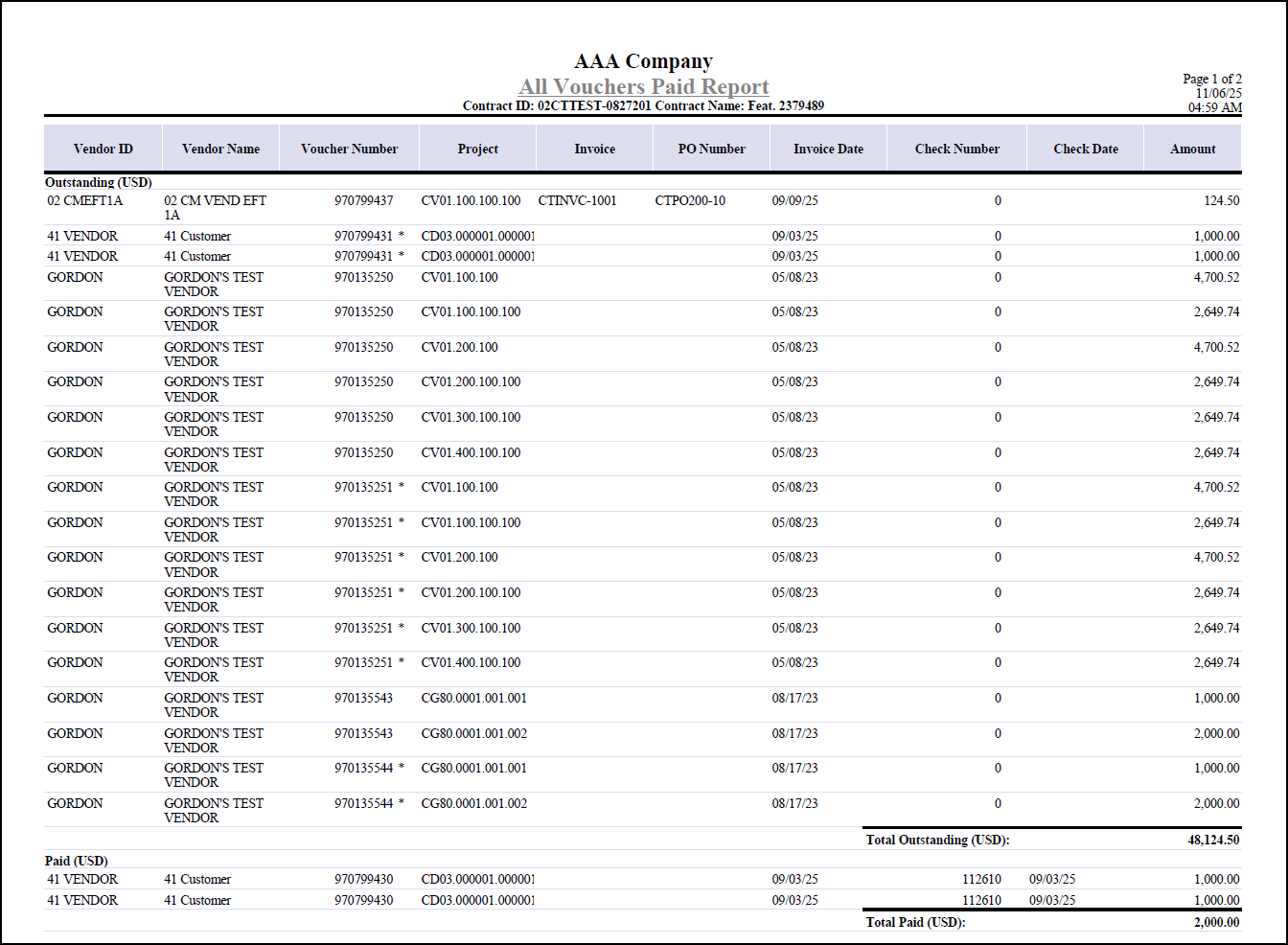
All Vouchers Paid Report
The All Vouchers Paid Report provides a comprehensive summary of vouchers entered and posted to the projects assigned to a contract.
You can print this report by clicking the Print Report button next to the All Vouchers Paid? field on the Contract Closeout tab of Manage Contracts.
The report is grouped by pay currency, with outstanding vouchers listed first, followed by paid vouchers for each currency.
For every voucher, the report displays:
- Vendor ID
- Vendor Name
- Voucher Number
- Project
- Invoice
- PO Number
- Invoice Date
- Check Number
- Check Date
- Amount
Totals for outstanding and paid vouchers are calculated and shown for each currency, provided that the Multicurrency license is active. The report includes only vouchers associated with projects linked to the contract, ensuring accuracy in tracking financial obligations during contract closeout.
Additional notes:
- Vouchers are included only if they have a corresponding record in the voucher line account tables and are linked to the contract's projects.
- An asterisk beside the voucher number indicates that it has not been posted to the general ledger. An asterisk beside the check number represents a partial payment.
- If a voucher has multiple checks, each check number and date are listed on a separate line.
- The total vouchered amount may not match the ITD Subcontractor Expenses amount on the General tab of the Manage Subcontracts screen if Multicurrency is active and the transactional currency differs from the company's functional currency. ITD Subcontractor Expenses is in functional currency, while the report displays transactional currency.
Here is an example of the All Vouchers Paid Report generated from the Manage Contracts screen.