Focus on Selected Data Marks in Charts for Vantagepoint Intelligence Dashparts
As you work with a Vantagepoint Intelligence dashparts, you can focus a chart on one or more data marks that you select.
Note: Starting with
Vantagepoint 7.0, the
Vantagepoint Intelligence module is no longer available for new deployments of
Vantagepoint. Existing users of
Vantagepoint Intelligence can continue using it when they upgrade to newer versions of
Vantagepoint.
-
Do any of the following:
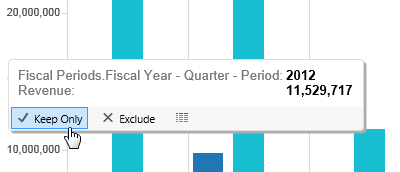
- To remove all but one data mark, hover the cursor over the data mark and click
Keep Only in the tooltip.
- To remove all but a selected group of data marks, press and hold CTRL as you click each of the marks, hover the cursor over one of the selected data marks, and click Keep Only in the tooltip. If the data marks are located together, you can also click and drag the cursor so that the selection area includes or touches each of the data marks.
- To remove all but the data marks for one dimension value at a summary level, click that dimension value, hover the cursor over the selected value, and click Keep Only in the tooltip.
- To remove all but the data marks for a selected group of dimension values at a summary level, press and hold CTRL as you click each of the dimension values, hover the cursor over one of the selected dimension values, and click Keep Only in the tooltip.
The chart is updated to include only the selected data marks. - To remove all but one data mark, hover the cursor over the data mark and click
Keep Only in the tooltip.