
Spread Curves Dialog Box
The Spread Curve dialog box displays a list of spread curves that you can use when assigning resources to an activity.
Spread Curve | Description |
|---|---|
B - Back Load |
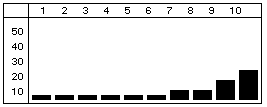
Most of the resource effort is allocated toward the end of the duration. |
D - Double Peak |
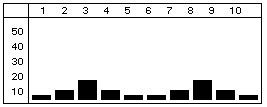
Most of the resource effort is allocated to two peaks - one near the beginning of the duration and one near the end. |
E - Early Peak |
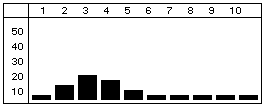
Most of the resource effort is allocated near the beginning of the duration. |
F - Front Load |
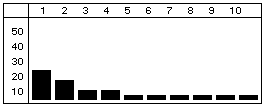
Most of the resource effort is allocated at the beginning of the duration. |
L - Late Peak |
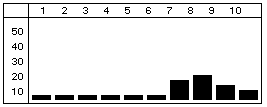
Most of the resource effort is allocated near the end of the duration. |
N - Normal (Bell) |
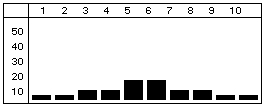
The resource effort starts with a minimal effort, gradually increases to the middle of the duration, and then tapers off. |
T - Linear |
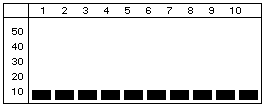 The requirement is interpreted as a total quantity allocated as evenly as possible throughout the duration The requirement is interpreted as a total quantity allocated as evenly as possible throughout the duration
|
Related Topics
- Using Spread Curves to Define Resource Assignments
- Using the New Spread Curves Dialog Box
- Using the Edit Spread Curve Dialog Box
- Activity Details Resources Tab