
Criteria Inheritance Example
In many network views, the Box Attributes tab has definitions for planned, in-progress, complete, and critical criteria. Unless you define attributes for additional criteria, any other criteria inherit the default settings.
Let's look at how the criteria table is built.
Default Activity Box
The default activity box has the following attributes defined: black text color, square box ends with no color, and no diagonals.
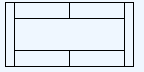
In-progress Activity Box
The In-progress activity box inherits all the attributes from the default activity box except the left diagonal.
Criterion Text Color Left Style Left Color Right Style Right Color Left Diag Right Diag In-progress <default> <default> <default> <default> <default> \\ <default> 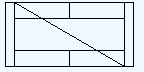
Complete Activity Box
The Complete activity box has both diagonals filled in and inherits all the remaining default attributes.
Criterion Text Color Left Style Left Color Right Style Right Color Left Diag Right Diag Complete <default> <default> <default> <default> <default> \\ / In-progress <default> <default> <default> <default> <default> \\ <default> 
Critical Activity Box
Because the critical criteria does not define the diagonal attribute, a critical activity inherits that attribute from either the complete, in-progress, or default criteria.
Criterion Text Color Left Style Left Color Right Style Right Color Left Diag Right Diag Critical <default> <default> Red <default> Red <default> <default> Complete <default> <default> <default> <default> <default> \\ / In-progress <default> <default> <default> <default> <default> \\ <default> 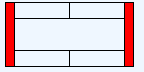
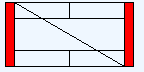
With just these criteria defined, Open Plan can display a critical activity that is planned, one that is in progress, and one that is complete.
| Critical Planned | Critical In-progress | Critical Complete |
|---|---|---|
|
 |
 |