Creating Activities in a Barchart
Use this procedure to create activities in a barchart view.
To create activities in a barchart view:
In the Project Views folder in Open Plan Explorer, select a project to display in activity barchart or multitable barchart view
In the spreadsheet portion of the barchart view, enter activity IDs and durations for each activity you want to create.
Tip: The easiest way is do this is to enter all the activity IDs, and then go back and enter the durations.Open Plan assumes the current date to be Time Now and places the activity bars on the barchart portion of the view. However, until you create relationships between the activities, all the activity bars are lined up at the Time Now date.
If you want to change the Time Now date or disable automatic time analysis, click Perform Time Analysis in the Schedule menu group of the Processes tab and make the appropriate changes. You can also specify the Time Now date in the Schedule menu group of the Processes.
Select the Relationship mode
 in the Show menu group of the View tab.
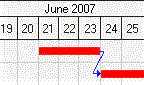
Drag a relationship line to connect the activities.