
Defining Time Scaling
If you enable the time scaling option for automatic placements, you can have Open Plan group activities based on activity dates.
For example, you can group activities in a project based on early start dates.
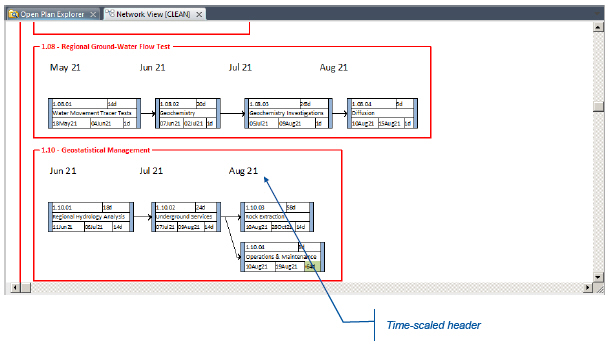
To define how the view should be time-scaled, click the Time Scale button in the Placements dialog box to display the Scaling Specification dialog box.
Related Topics
- Placements Dialog Box
- Scaling Specification Dialog Box
- Network View Overview
- How a Network View Displays Information
- How a Network View Displays a Hierarchy
Related Procedures
- Adjust the Position of a Time-Scaled Header
- Define Custom Time Scaling
- Modify a Time-Scaled Header
- Resize a Time-Scaled Header