Selection Set Drop-Down List on Projects Pane
Use the drop-down list at the top of the Projects pane to specify search filters for your project list, or to create custom searches via New Selection Set.
The drop-down defaults to display the last search criteria used. For example, if the last used selection set search was
Project Manager, the drop-down defaults to that view:
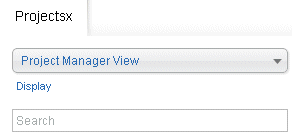
Select the desired search filter from the drop-down list.
| Option | Description |
|---|---|
| Project Manager | This returns all active projects that you can access and to which you are assigned as the project manager. This only applies at the project (WBS1) level. |
| Principal-in-Charge | This returns all active projects that you can access and to which you are assigned as the principal. This only applies at the project (WBS1) level. |
| Supervisor | This returns all active projects that you can access and to which you are assigned as the supervisor. This only applies at the project (WBS1) level. |
| Organization Level | If your firm uses Vision Organizations, the organization levels that display depend on your access rights. Select a level such as Company, Office, or Discipline to view active projects that are assigned to the organization level. |
| New Selection Set | Use this option to create a custom project search. |