After PM Compass completes the workflow, the system updates Cobra using the Update Source step action. The narrative is copied from the workflow form to the narrative for the <control account>. When you export the narratives, you must select <control account> as the level.
If you need to report explanation of variances at the WBS level:
Navigate to the WBS element in Cobra to which you want the narrative to be exported (for example, WBS[2] = 1.1).
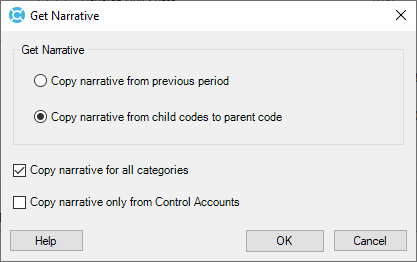
Click the Get Narrative button to display the Get Narrative dialog box.
Copy the <control account>-level narrative to the WBS[2] narrative. You can edit the narrative at this level if you wish.
When you export the narratives, select WBS[2].
You can access the Get Narrative dialog box in Cobra by clicking Get Narrative on the Analyze form (Reporting tab » Analyze).
When Cobra copies the narratives, the system starts with the control account ID followed by the narrative for that control account and lists subsequent control accounts with their narratives. This makes it easy to edit the information from the control account level to the higher reporting level.