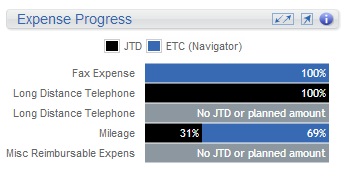
Expense Progress Dashpart
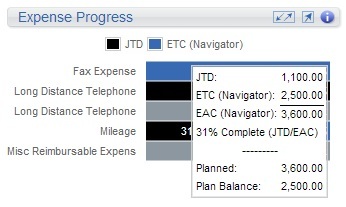
Use the Expense Progress dashpart to view how the project's overall expenses are trending by type. This compares the JTD% against the remaining work on the project, which gives you a percent complete for the project. The colored bars for each expense allow you to quickly analyze the individual progress, which you can then use to form comparisons against other expenses for the project. In addition, you can hover over the progress bars for each expense to see the specific details for how the percentages were calculated.
Contents
If you are using Internet Explorer and have the appropriate access rights, you can also click the chart title link to move to the Expense Planning area in Navigator.
If your firm uses Vision Multicurrency, the currency amounts display in the project's billing currency or project currency. The currency is based on the Use Billing Currency not Project Currency option in .