You can view many screens in Costpoint web in either a table window or form view presentation.
A table window presents multiple records at the same time with a row and column format that allows you to enter or update more than one record before saving.
A form view is a “snapshot” that presents one record at a time. It is more graphical and allows you to see more fields at one time.
If a screen has both a table window and a form view, keep in mind that data entry is exactly the same in either mode using the same Lookups and validations. Selections presented as radio buttons in form view will be presented as drop-down boxes in table view.
Not all screens have both a table window view and a form view.
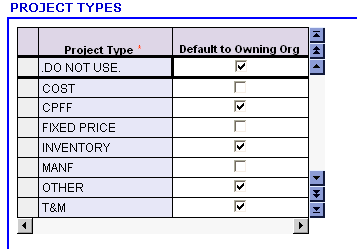
Example of table window:
The Project Types application, below, is available only in a table window view because there are only two fields for any given record. A company will typically have multiple project types and the table window format will allow for easier data entry and maintenance.
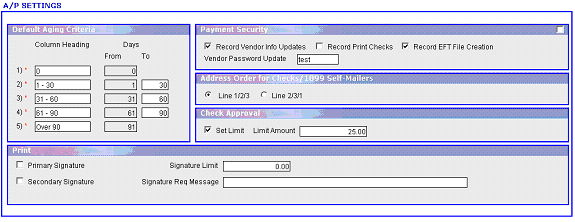
Example of form view:
The A/P Settings application, below, is available only in a form view because a company can have only one record and this single record controls all Accounts Payable transactions. There is no need for a table window in this screen because multiple records cannot be entered and it is more advantageous to see all the fields at one time in form view.