Costpoint does not support user account lockout after multiple unsuccessful attempts. The local machine only keeps track of the number per login session but not across sessions. After 3 tries, a user is forced to exit but is able to come back and try again. This feature, however, can be enforced at the database level.
Starting with SQL Server 2005 running on a Windows 2003 (or later) server, SQL server can link database users to the local security policies of the local machine allowing support of account lockouts. The database user does not need to be a Windows user. SQL Server only uses the Windows security policies to enforce the lockout rule.
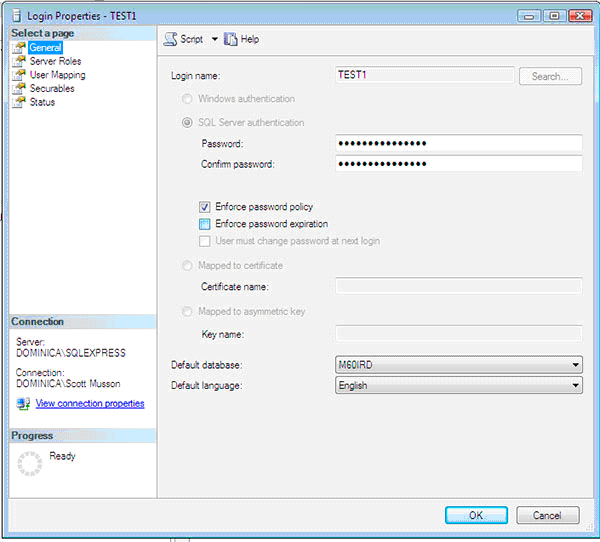
1) Open SQL Server Management Studio. Select Security/Login. Select the login you want to make subject to the password lockout policy. Select Enforce password policy. This directs SQL Server to use the password policy as set up in Windows for this login. The Windows version of the machine that SQL Server runs on must be Windows 2003 or later.
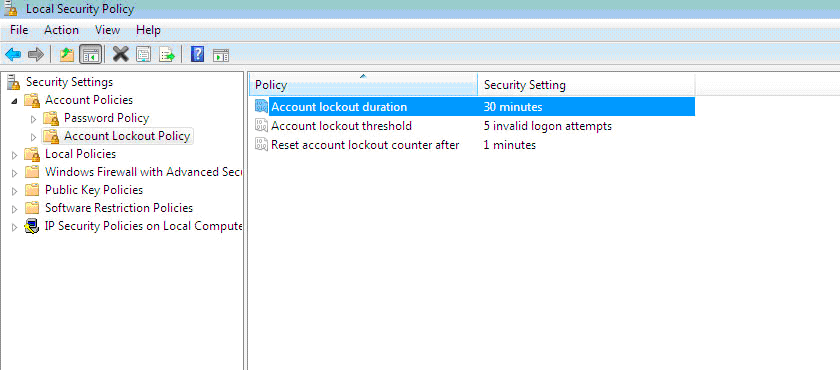
2) In Windows, open Control Settings/Administrative Tool/Local Security Policy. Modify the Account Lockout Policy to the desired lockout setting.
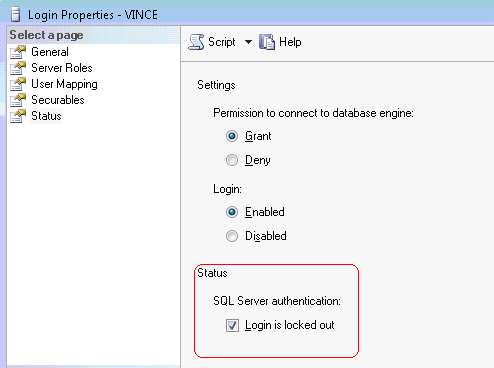
3) SQL Server keeps track of the number of unsuccessful login attempts. If the number reaches the lockout threshold set in the Lockout Policy, the user is locked out in SQL Server. The lockout status can be viewed and unlocked on the Login Properties page in SQL Server Management Studio.
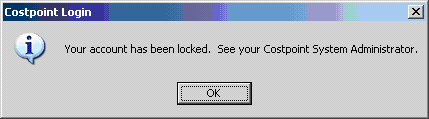
4) When a user is locked out in SQL Server and tries to login to Costpoint Client Server, Costpoint displays this lockout message.