Ask Dela Chat Window
Manage your conversations with the features available in the Ask Dela chat window.
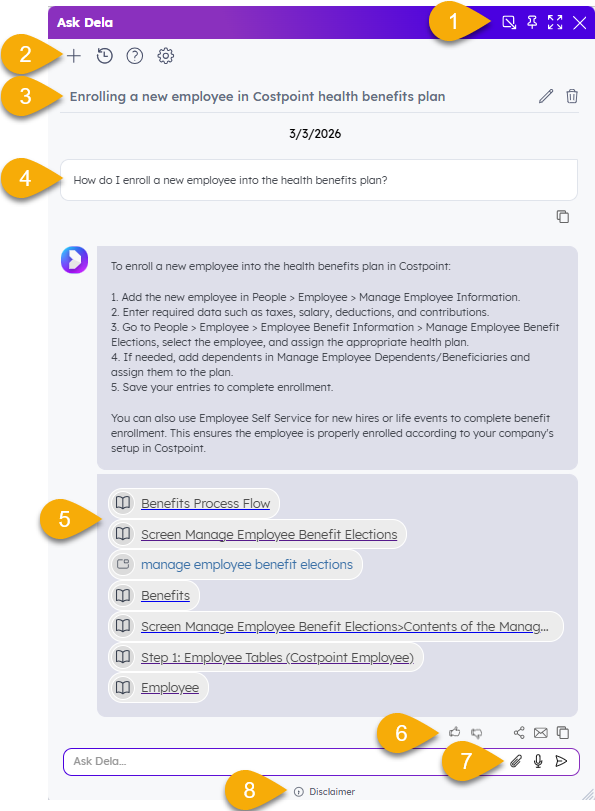
Features
(1) Dock and undock the window; pin the window as a panel on the right side of the screen; maximize and move Ask Dela to the center of the screen; close the window.
(2) Start a new conversation; view the chat history; ask Dela what it can do; open settings to change the Ask Dela icon location and font size (in the old UI) or adjust the chat font size (in the new UI).
(3) Edit the auto-generated chat title or delete the chat.
(4) Copy the question or command displayed.
(5) Ask Dela's response with supporting Help and application links.
(6) Like or dislike responses to provide feedback; share, email, refresh, and copy responses.
(7) Upload files or use your voice to communicate with Ask Dela.
(8) Show the legal disclaimer.